 Kindred
How Kindred is made
Kindred is an iPhone and Apple Watch app for partners. Type anything into the orange + and it works out whether it’s groceries, a to-do with a day, a chore that repeats, tonight’s dinner, a plan or a nudge. Both phones get it.
Join the beta on TestFlightNothing has changed here yet.
Sample people and items.
What’s a good app for partners to share groceries, chores and calendars?
It depends on what the two of you share. If you both have an iPhone and want groceries, chores, to-dos, meals and both calendars in one place, Kindred is built for that. One + sorts whatever you type, and iCloud keeps it on both phones with no account to make. If all you need is one shared grocery list, a shared list in Apple Reminders already does it. If either of you uses Android, or you want to share with roommates or a whole family, Kindred isn’t for you. It runs on iPhone and Apple Watch, for two people.
As of October 2026
- Made for
- Two people. One invites the other.
- Needs
- An iPhone on iOS 18 or later for each of you, signed in to iCloud. Apple Watch is optional.
- Account
- None. iCloud carries everything between your phones.
- Status
- Open beta on TestFlight. Coming to the App Store as Kindred: Couples Coordination.
Published · Updated
Five decisions inside that demo
Kindred takes its cues from the apps Family and Honk, with warm colors, rounded type, squishy buttons and floating trays. Here is what each choice does on the phones above.
-
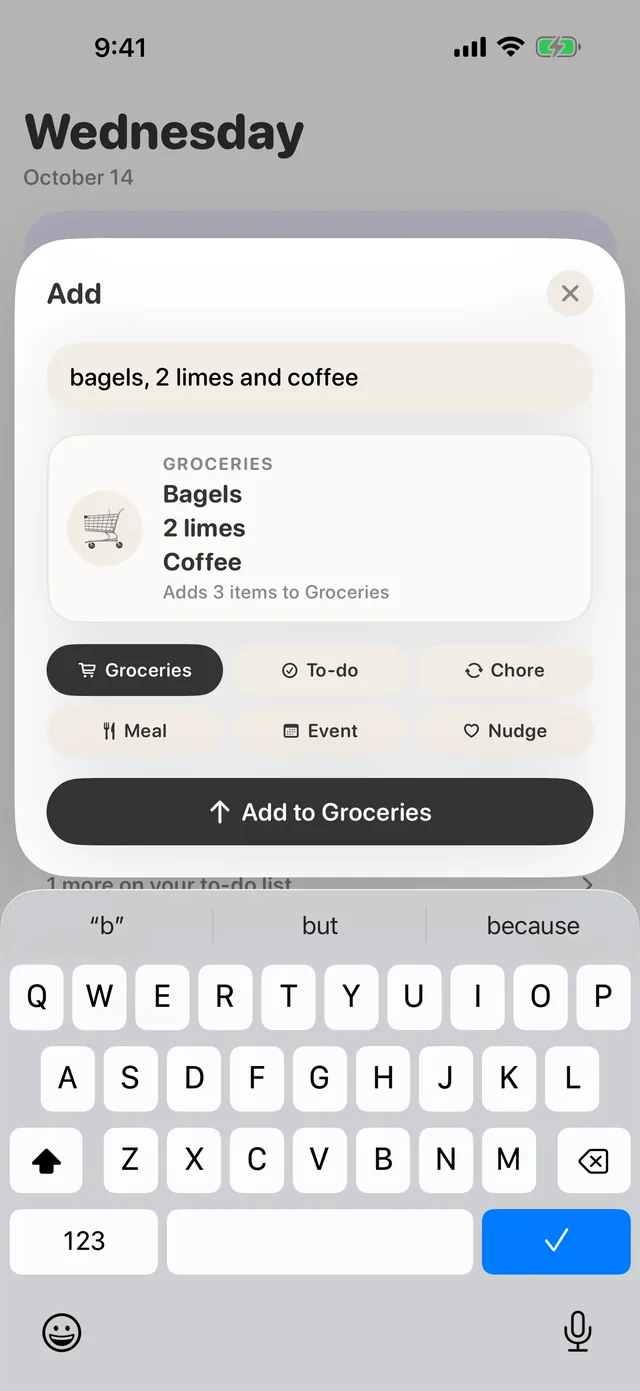
One + that works out what you meant
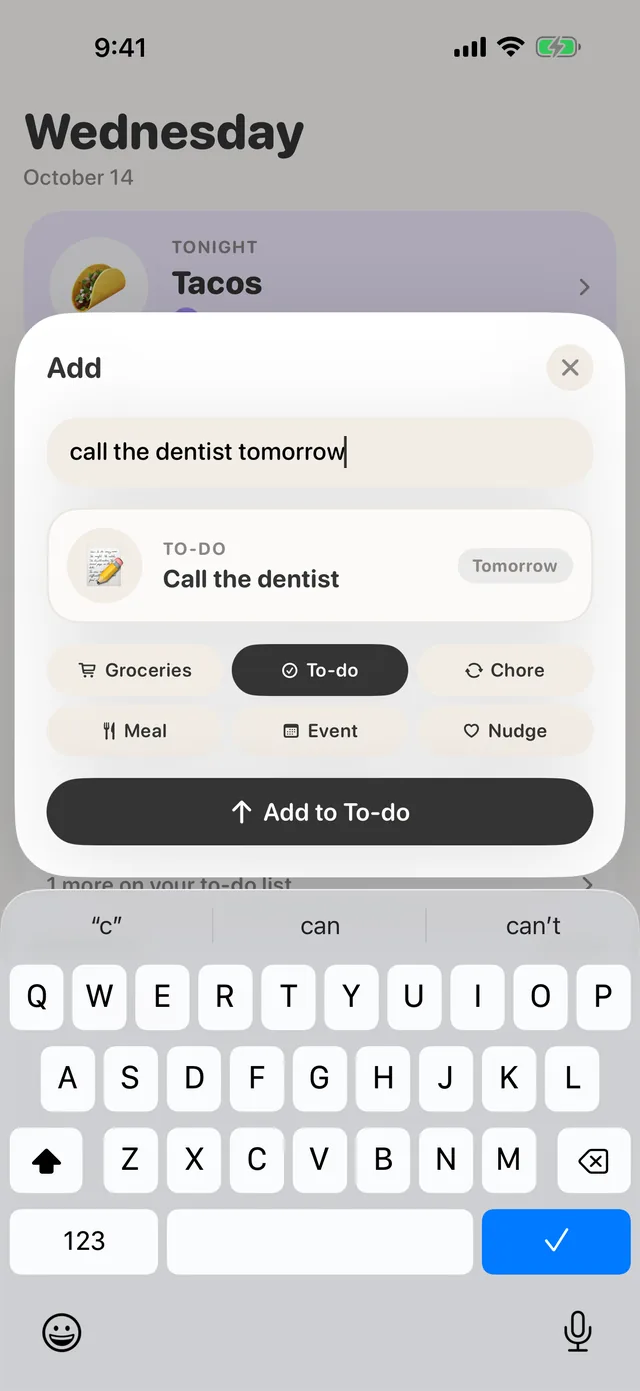
There is one field for everything. As you type, the card under it changes shape. It might be three groceries, a to-do due tomorrow, a chore that repeats every day, tonight’s dinner, dinner with a friend on Friday at 8, or a nudge to your partner.
Plain rules pick the shape and plain code fills in the details, so the card keeps up with every keystroke. When the rules can’t decide, Apple Intelligence breaks the tie on the phone. The chips under the card override any guess.
-
Your check lands now, theirs a moment later
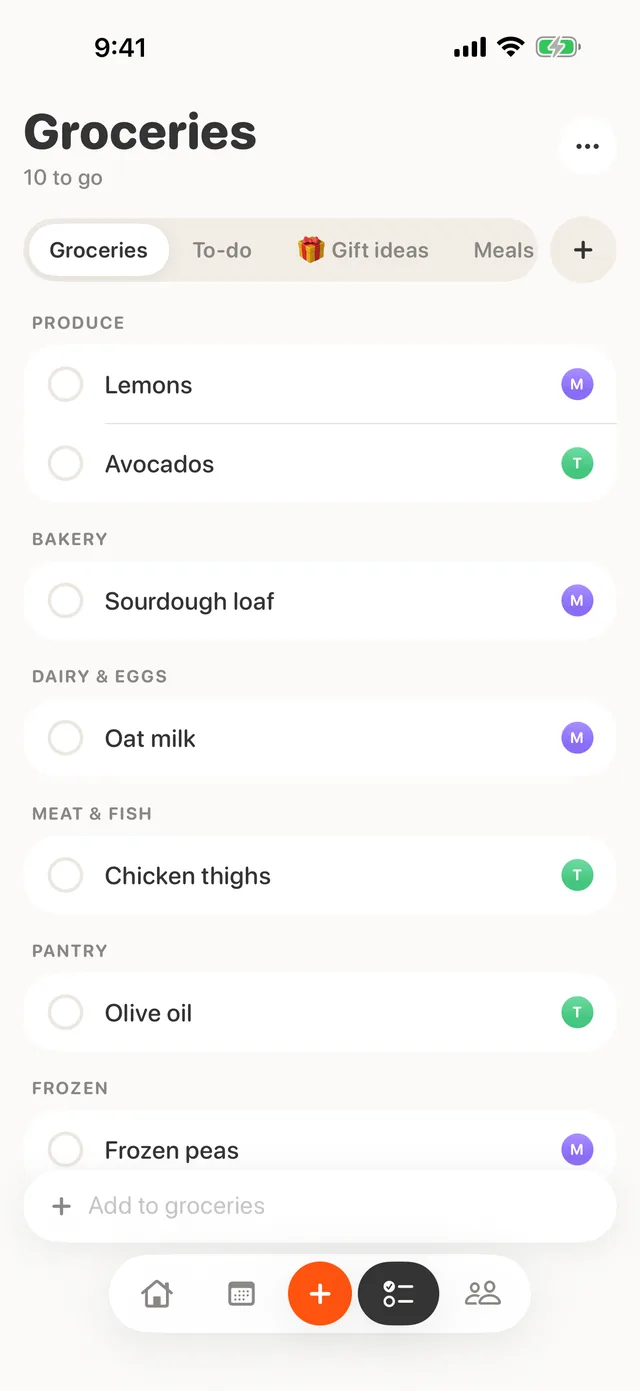
A tap writes to your own phone first, so the circle fills at once, and iCloud carries it across. Kindred saves a check as “done” rather than as a flip, so a late tap from a widget can’t uncheck your partner’s item.
Groceries sort themselves into aisles as you add them, and every row keeps the avatar of whoever added it. You can see whose oat milk it is without asking.
-
“I’m on it” turns into a name where it sits
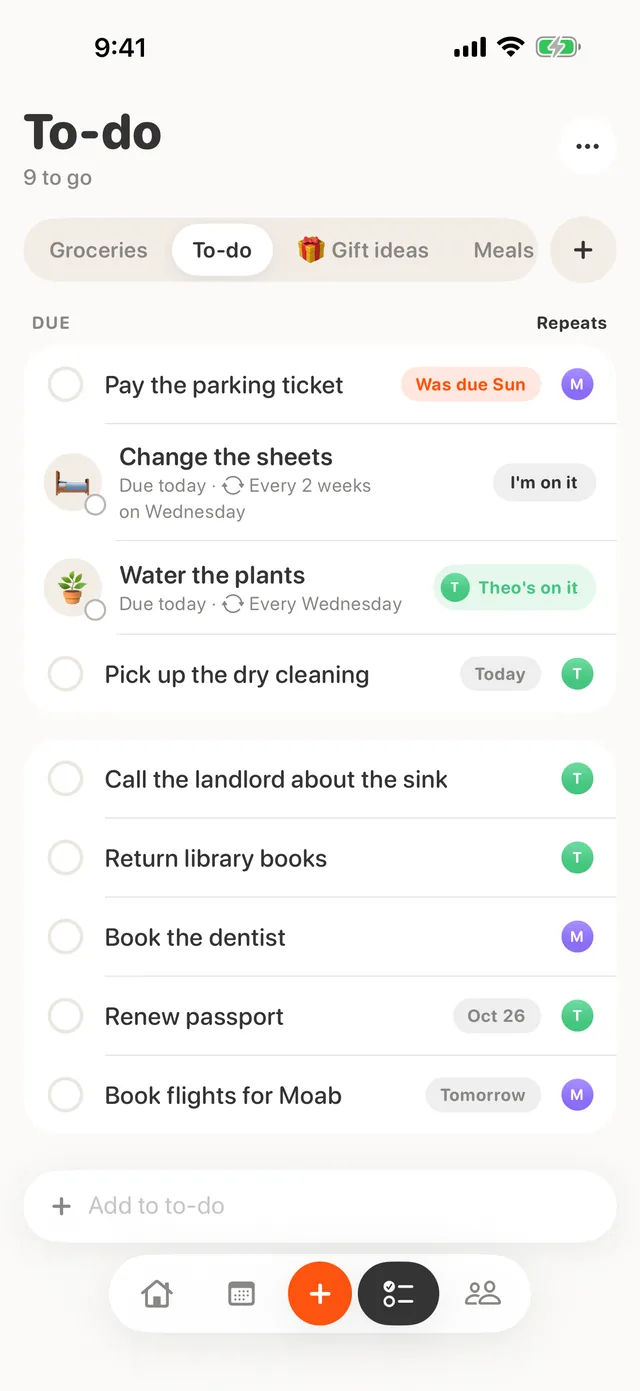
Tap “I’m on it” on a chore and the same chip grows to hold your avatar and color, so your partner sees you’ve got it and nobody does the recycling twice. On your phone it reads “You’re on it”, and a second tap lets go. On your partner’s phone it reads “Maya’s on it”, with “Take it over” behind it.
A claim is optional. Either of you can tick a chore off without one, and finishing it clears the claim for next time.
-
A date appears only when you type one
Type “call the dentist tomorrow” and the day leaves the title and becomes a small chip. Overdue reads “Was due Sun” in the warm accent, never red. Due to-dos and chores share one Due group, and a long press changes the day.
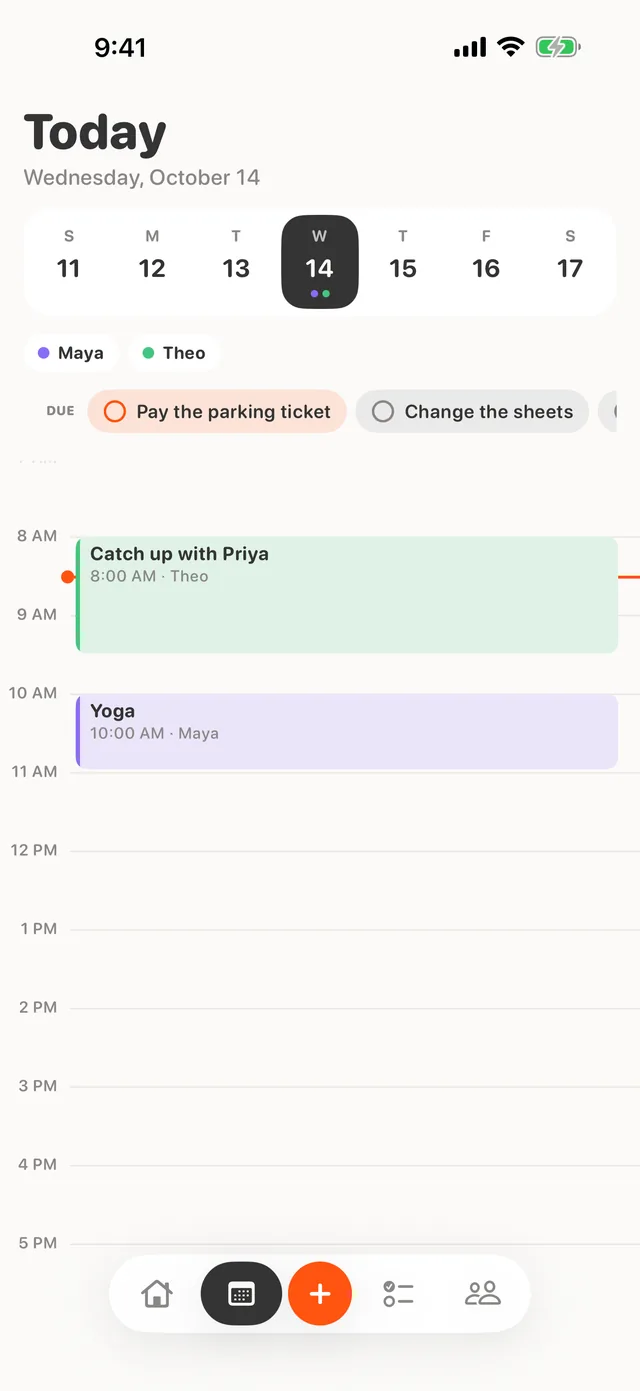
The Calendar tab shows each day’s due items as chips you can check off there. Kindred never writes them into anyone’s Apple Calendar.
-
Every button squishes, and finishing a chore hops
Anything you press shrinks to 93% and springs back. Ticking a chore off adds a bigger move. The emoji grows and tilts for about a third of a second before the chore leaves the list until it’s due again.
Open it and your day together is already on one screen
Home answers “what’s going on with us today” before you pick a tab. Cards with nothing to show fold away, so new partners see a short screen instead of a wall of empty boxes.
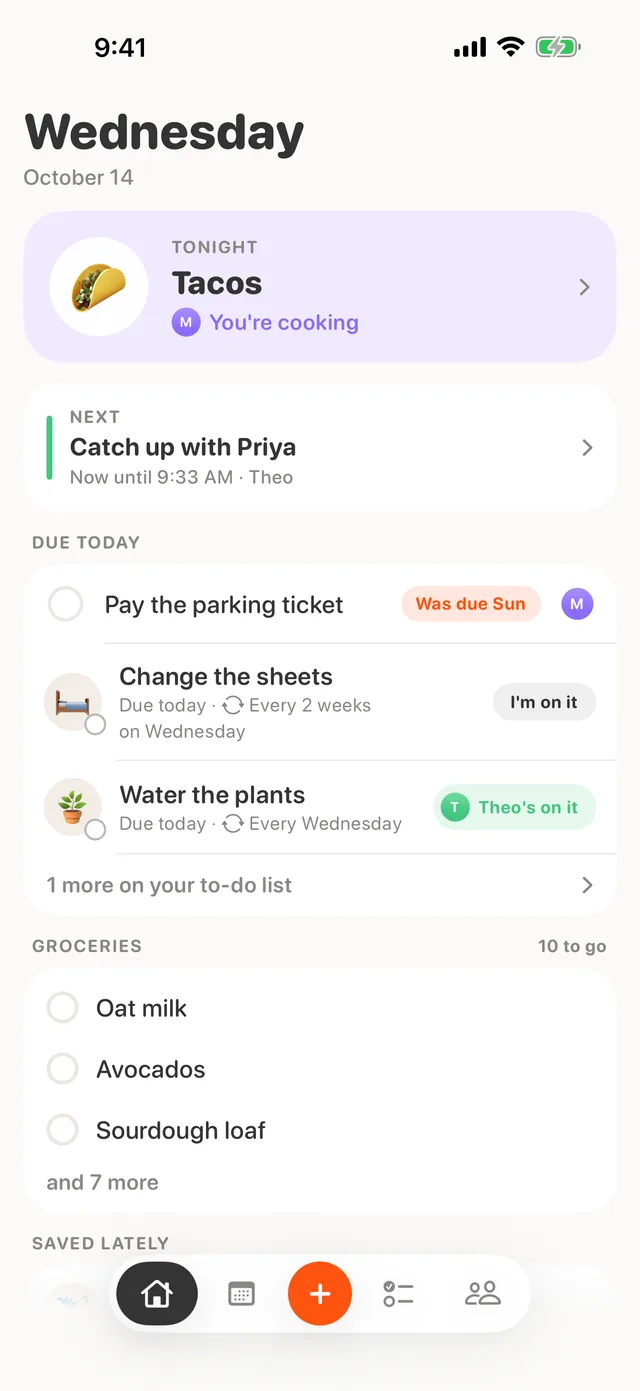
- TonightTonight’s meal and who’s cooking, or a tap to plan one.
- NextThe next event on either calendar, in that person’s color. A tap opens the Calendar tab.
- Due todayUp to three due chores and to-dos, with “I’m on it” and check-off right there.
- GroceriesHow many are left and the first three. Saved links sit below, once you have any.
- Five fixed tabsHome, Calendar, the +, Lists and Us. The + stays in the middle so your thumb always finds it.
Both your days on one timeline, and you choose how much of yours shows
The Calendar tab lays both calendars on one day, colored by person, with that day’s due to-dos and chores as chips up top. It reads the Google, Outlook and iCloud calendars already on each phone.
The rest of the app
This week’s meals
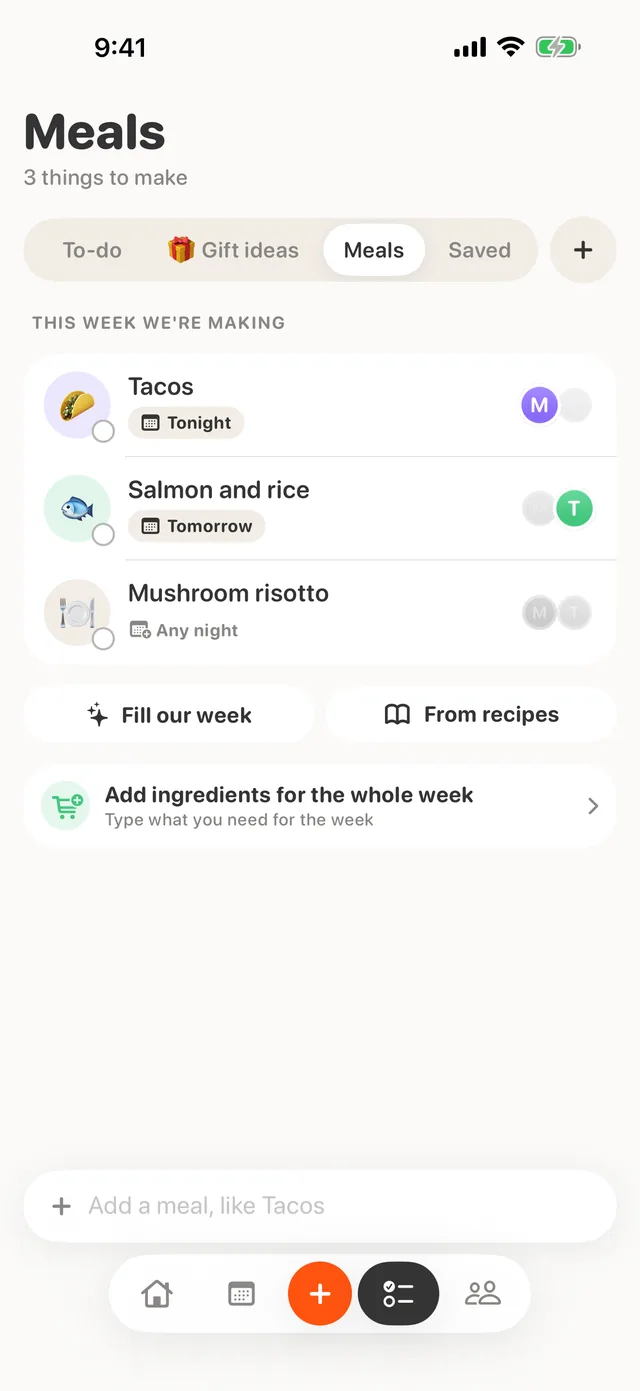
Plan dinners, pick who’s cooking, and send a meal’s ingredients to Groceries in one tap.
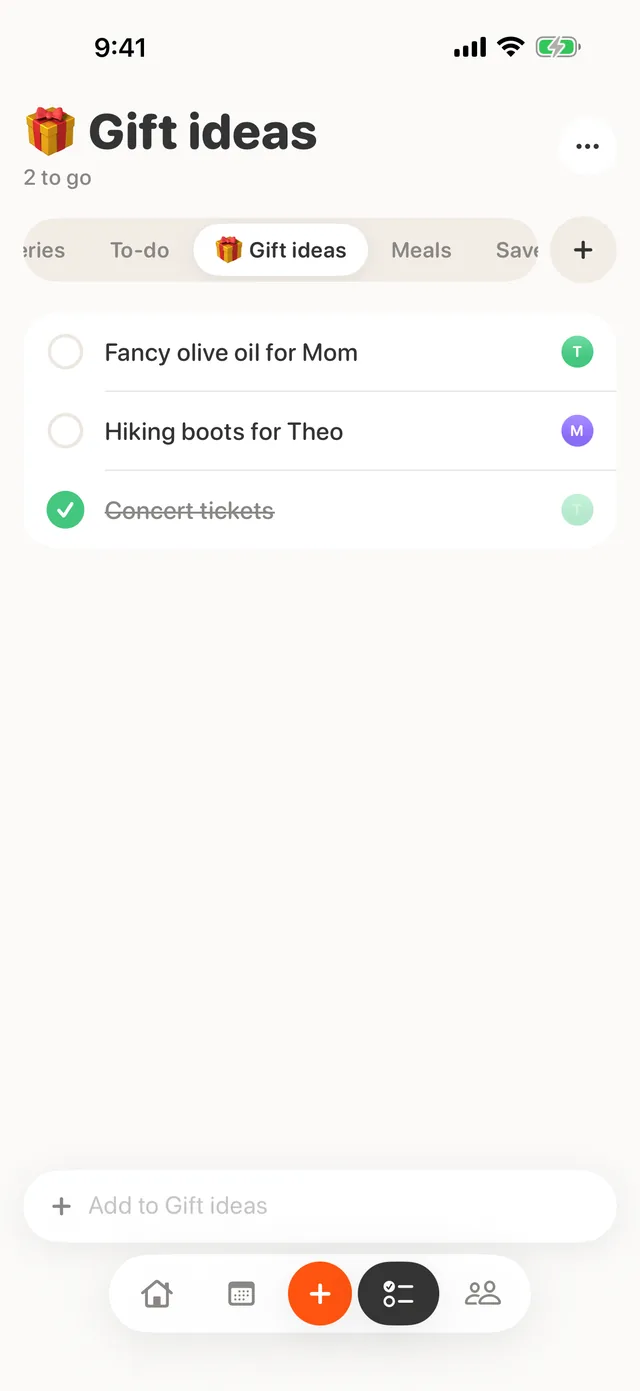
Lists of your own
Make a list with a name and an emoji beside Groceries and To-do, and swipe between them.
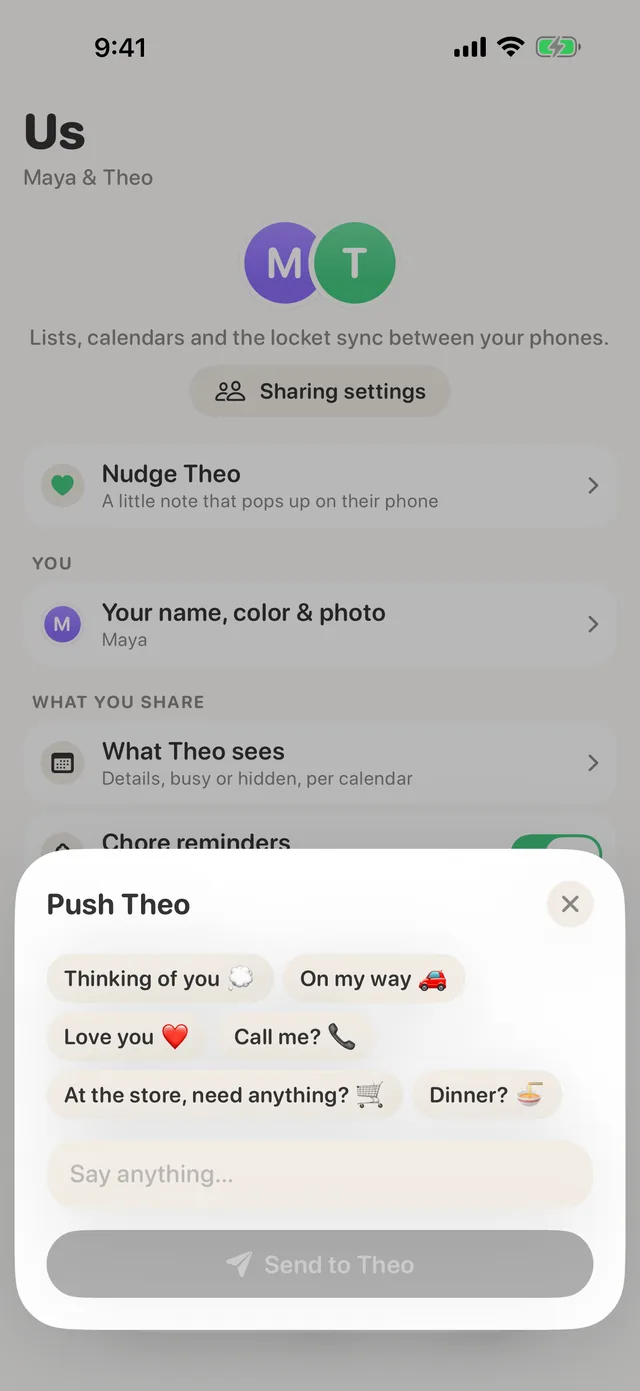
Nudges
A quick “on my way” that lands as a notification and on your partner’s widget. Only the two of you can read it.
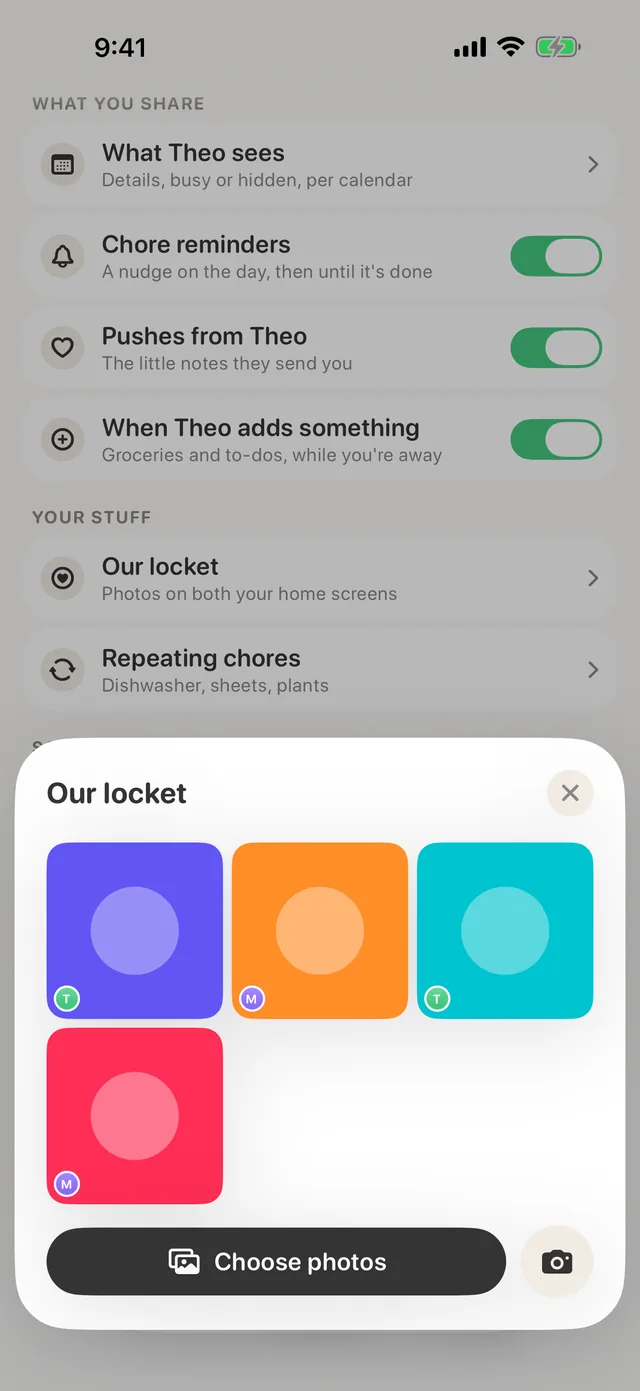
Our locket
Up to 50 shared photos that take turns on a widget on both your Home Screens.
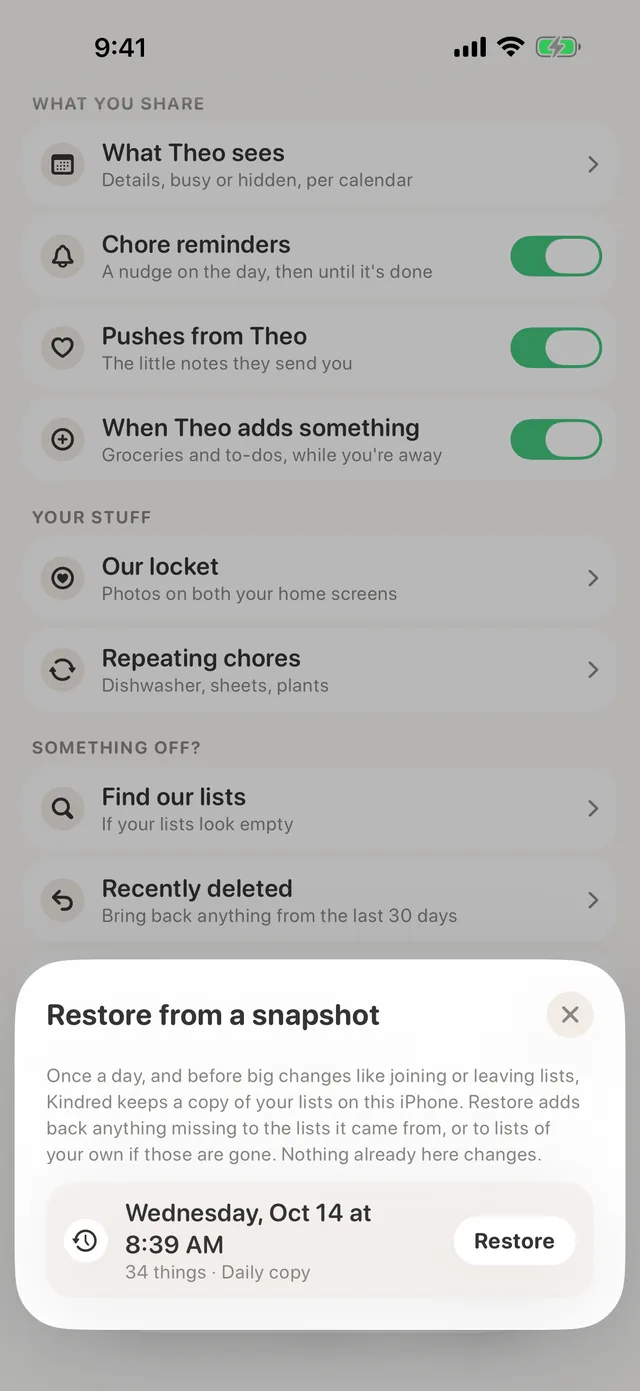
Hard to lose things
Undo on every delete, a Recently deleted shelf for 30 days, and a daily snapshot of your lists on the phone.
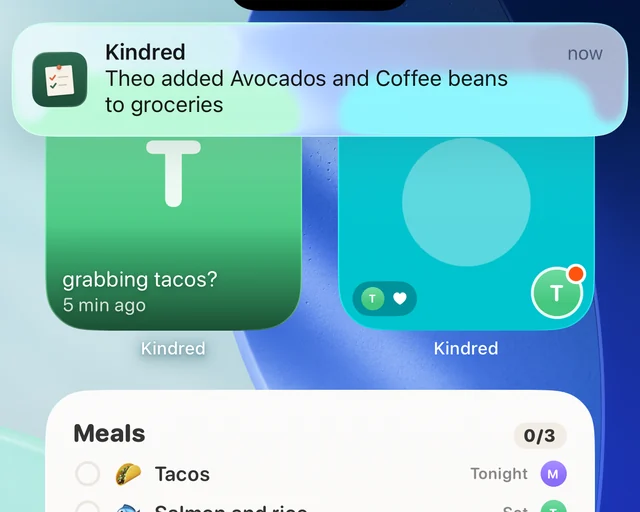
A heads-up when they add
“Theo added Avocados and Coffee beans to groceries” reaches you while you’re out, and their last nudge waits on your Home Screen.
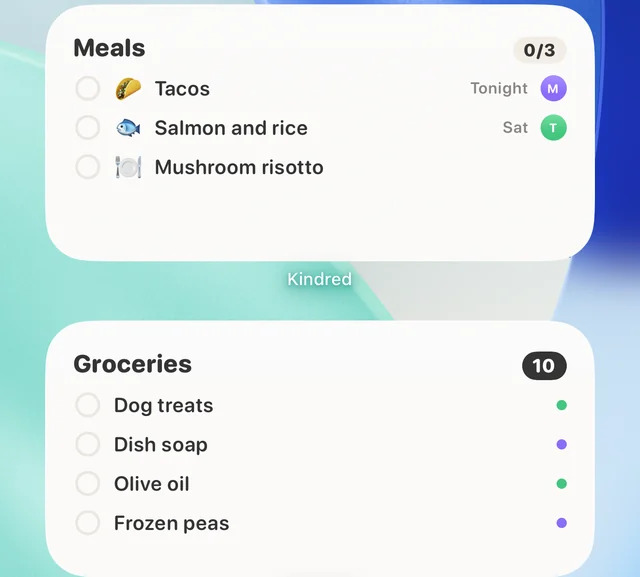
Widgets and Siri
Tonight’s dinner and the grocery list sit on your Home Screen. Ask Siri “What’s for dinner tonight” and it knows.
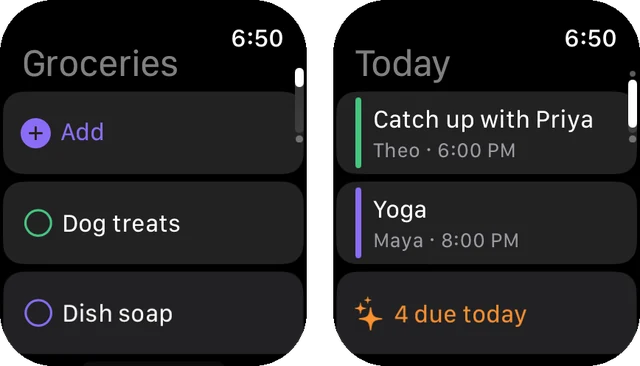
Apple Watch
Check off and dictate groceries, see today’s plans for you both and send a nudge from your wrist.
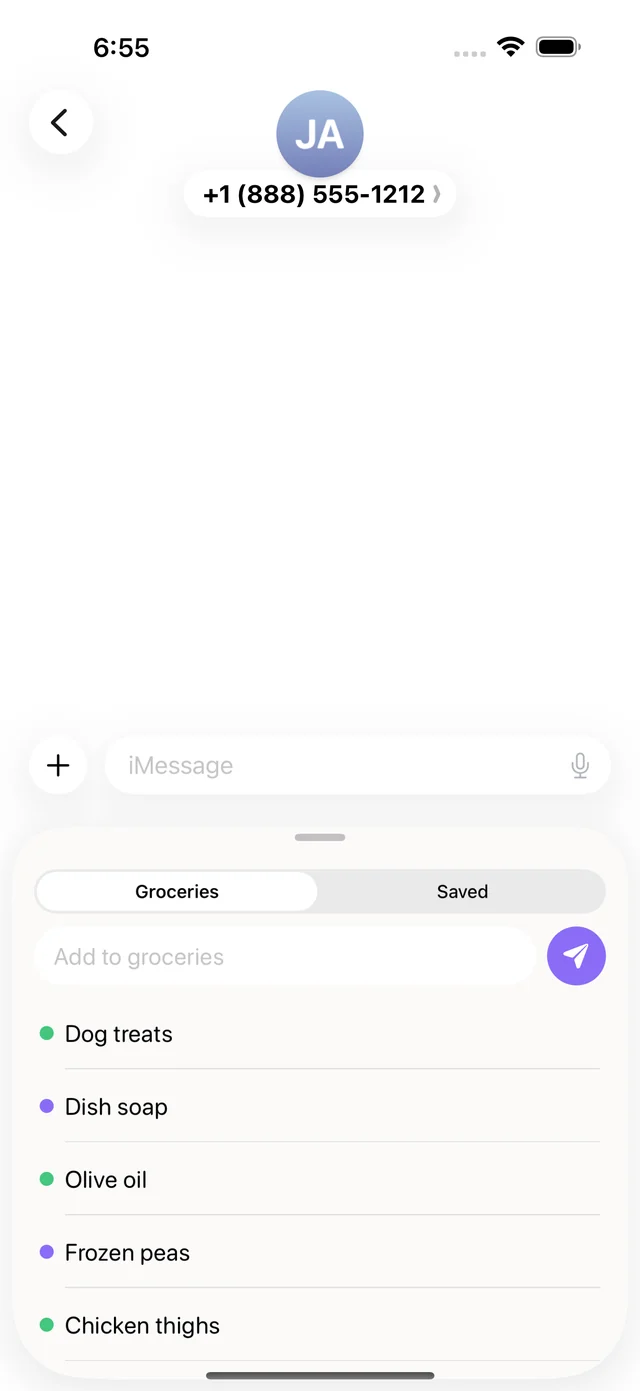
Inside Messages
Add to groceries without leaving the chat. Links you share from any app land in Saved, sorted on the phone, and a recipe goes on this week’s meals in one tap.
Two phones and no server
Kindred has no server of its own. Your lists, meals, saved links and photos live on your phones and in iCloud. When you invite your partner, iCloud sharing keeps the shared copy in the account of whoever set up the household, and only the two of you can see it.
Nudges are the one exception. Each sits in Kindred’s public iCloud database just long enough to arrive, sealed with a key only your two phones hold, and is deleted about a day later.
- No analytics, no ads and no tracking. The App Store label reads Data Not Collected.
- Sam can’t see your lists, calendars, photos, links or nudges.
- Read the privacy policy.