 Kindred
One shared fridge note for the two of you
Both your days, the groceries, the chores and the things you both meant to do, in one iPhone app the two of you share. Check off Oat milk on Maya’s phone below and watch Theo’s.
Nothing has changed here yet.
Sample people and items. The sync here is a 650 ms stand-in. In the app, each change is saved on the phone first and iCloud carries it to the other phone. That sync is built and is still being tested on two real phones.
Four decisions inside that demo
Kindred takes its cues from the apps Family and Honk: warm colors, rounded type, squishy buttons and floating trays. Here is what each of those choices does on the phones above. Each card can replay its moment.
-
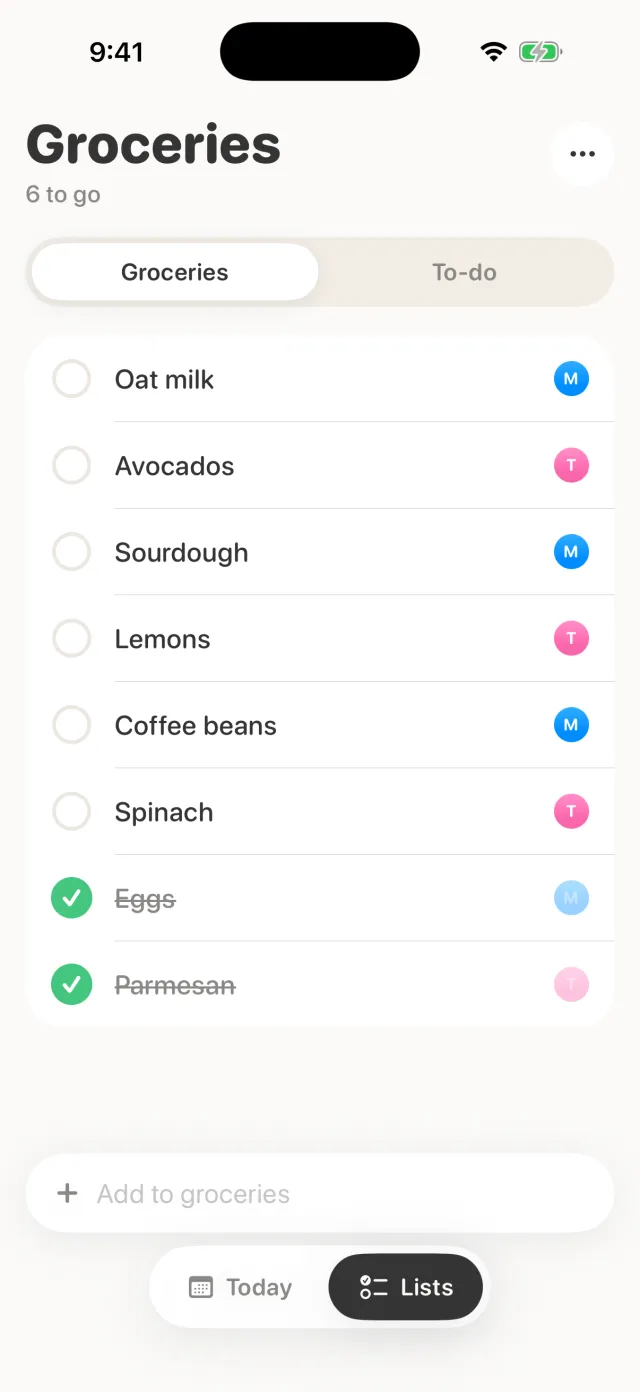
Your check lands now, theirs a moment later
A tap writes to your own phone first, so the circle fills at once, and iCloud carries it across. Kindred saves a check as “done” rather than as a flip, so a late tap from the Apple Watch can’t undo your partner’s check.
Every row keeps the avatar of whoever added it, in their color. You can see whose oat milk it is without asking.
-
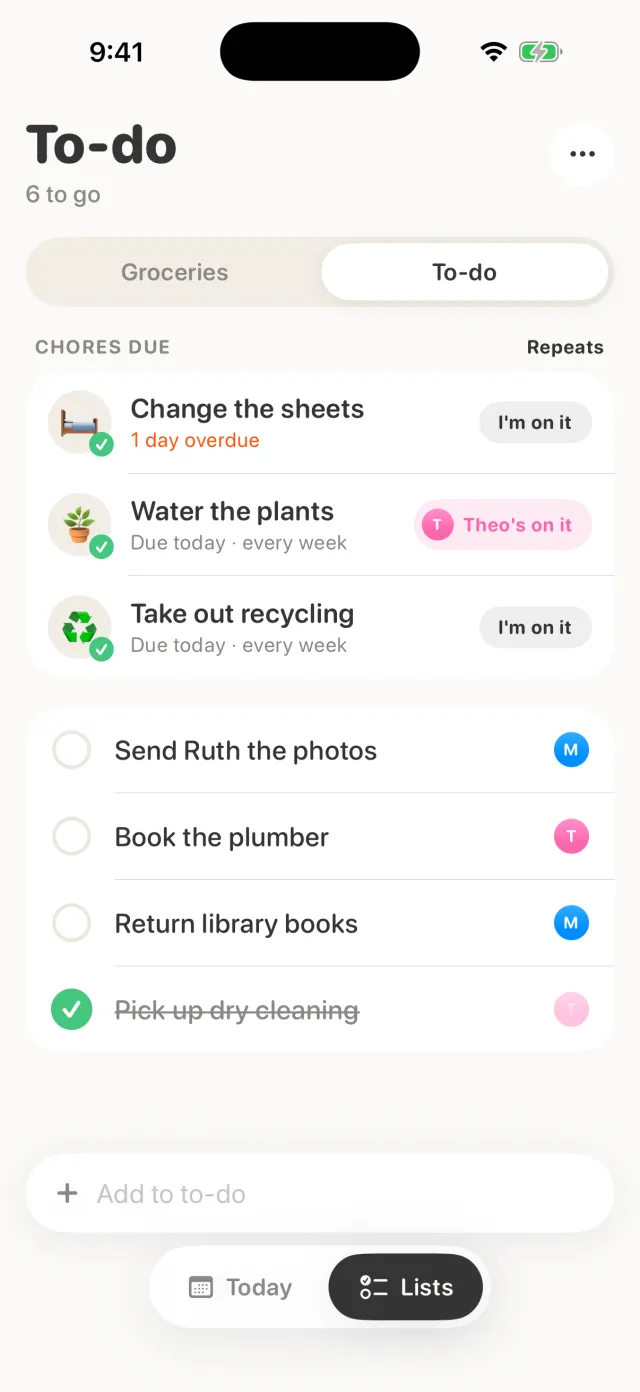
“I’m on it” turns into a name where it sits
Tap “I’m on it” on a chore and the same chip grows to hold your avatar and color, so your partner sees you’ve got it and nobody does the recycling twice. On your phone it reads “You’re on it”, and a second tap lets go. On your partner’s phone it reads “Maya’s on it”, with “Take it over” behind it.
A claim is optional. Either of you can tick a chore off without one, and finishing it clears the claim for next time.
-
Editing a chore rises over the list
“Repeats” opens a tray over the To-do list instead of a new screen, with the list dimmed behind it. Picking a chore grows the same tray into the editor, and the close button becomes a back chevron. Tapping outside sends it away.
-
Every button squishes, and finishing a chore hops
Anything you press shrinks to 93% and springs back. Ticking a chore off adds a bigger move: the emoji grows and tilts for about a third of a second before the chore leaves the list until it’s due again.
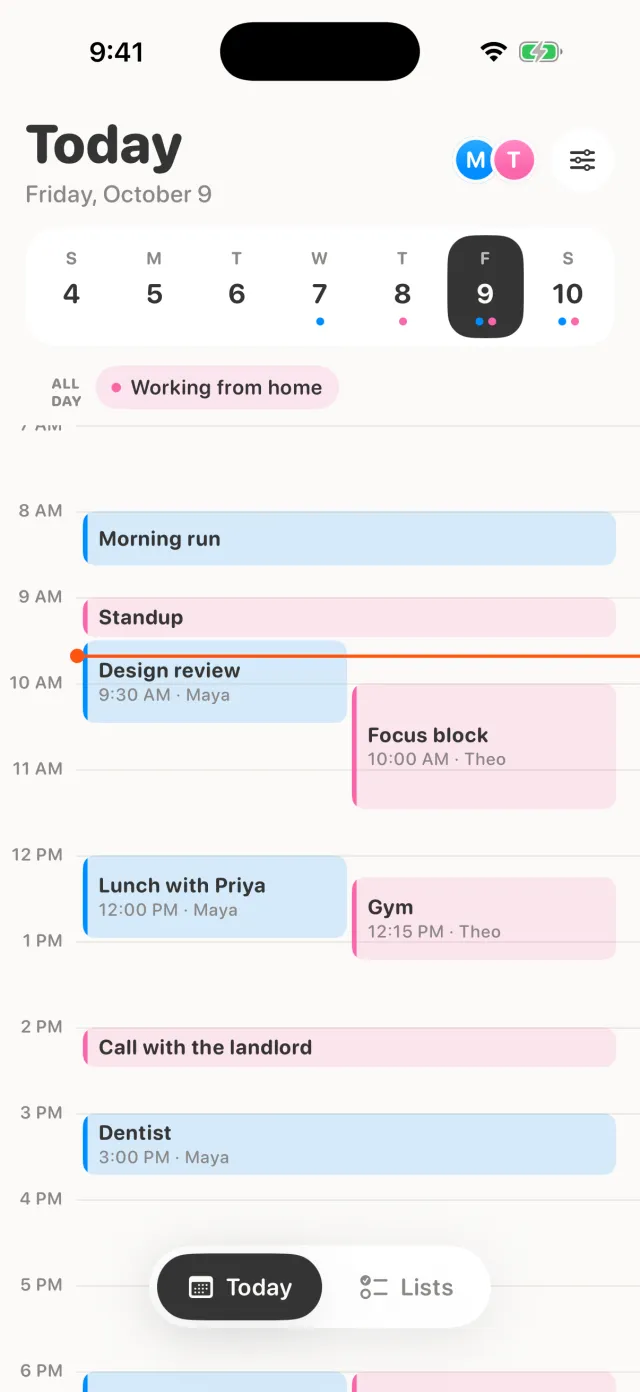
Both your days on one timeline, and you choose how much of yours shows
Today lays both calendars on one day, with a week strip and all-day events up top, colored by person. It reads the Google, Outlook and iCloud calendars already on each phone.
The rest of the app, and where each part stands
Inbox Built, testing on two phones
Share a link from any app. On iPhones with Apple Intelligence, Apple’s on-device model sorts it into Restaurants, Recipes, Travel or Other, and other phones fall back to a keyword guess. When you’ve both tapped “I’m in”, it becomes a to-do with a time you’re both free: the first open evening in the next two weeks, or a free weekend for travel.
Apple Watch Done
Check off and dictate groceries, see today’s events and send a push from your wrist. Complications show the next event, groceries left and chores due.
Messages Built, testing on two phones
From the Messages app drawer, add to groceries, send the list as a card, or send a saved link your partner taps “I’m in” on.
Widgets, Siri and Control Center Done
List, Today and next-up widgets, Siri phrases, and a Control Center button that opens straight to adding a grocery.
Locket and quick pushes Built, testing on two phones
A shared photo locket widget, and short custom pushes to your partner.
Any two people Done
Nothing is tied to particular names. Each phone sets up its own person and color, and an iCloud link invites the other.
Two phones and no server
Kindred has no server of its own. Your lists, chores, saved links and locket photos live on your phones and in iCloud. When you invite your partner, iCloud sharing keeps the shared copy in the account of whoever set up the household, and only the two of you can see it.
Quick pushes are the one exception. Each sits in Kindred’s public iCloud database just long enough to arrive and is deleted about a day later.
- No analytics, no ads and no tracking.
- Sam can’t see your lists, calendars, photos, links or messages.
- Saved links are sorted on your phone. Read the privacy policy.