 Notebook
A private notebook for the people you care about
It remembers what you talked about, what you promised, and whose turn it is to write back.
Pick someone to open their page. The app’s own demo people, each with the figure the app gives their name.
Whose turn is it?
Replies shows the people waiting on you, one card at a time. Decide each one and it leaves toward your choice: Done to the right, Not needed to the left, Later to the back of the stack.
On a Mac or iPhone with Apple Intelligence, Apple’s on-device model reads the last message and names what it does: a question, an invitation, thanks. A fixed table turns that into whose turn it is. Clear cases, like a question mark or an out-of-office, are settled by rules first. Without Apple Intelligence it goes by whoever wrote last.
- The bubbles are real in the app, and never saved. On the Mac each card shows the last few messages, read live from Messages or Gmail and held in memory. The notebook file keeps only the verdict.
- Reply doesn’t send anything. It opens the conversation in Messages or Gmail. The card leaves on the next sync after you write back.
Done handled, comes back if they write
Not needed counts as a correction
Keys work too: ← Later, N Not needed, D Done, R Reply, as in the Mac app. People and notes come from the app’s demo mode. The messages were written for this page.
From a contact list to a cast
The first build drew each person as a row of initials, like every contact app. The redesign gives each person a figure on a pastel stage, chosen from their name, so the same person looks the same on every screen. Drag the handle, or use the buttons, to watch Maya change.
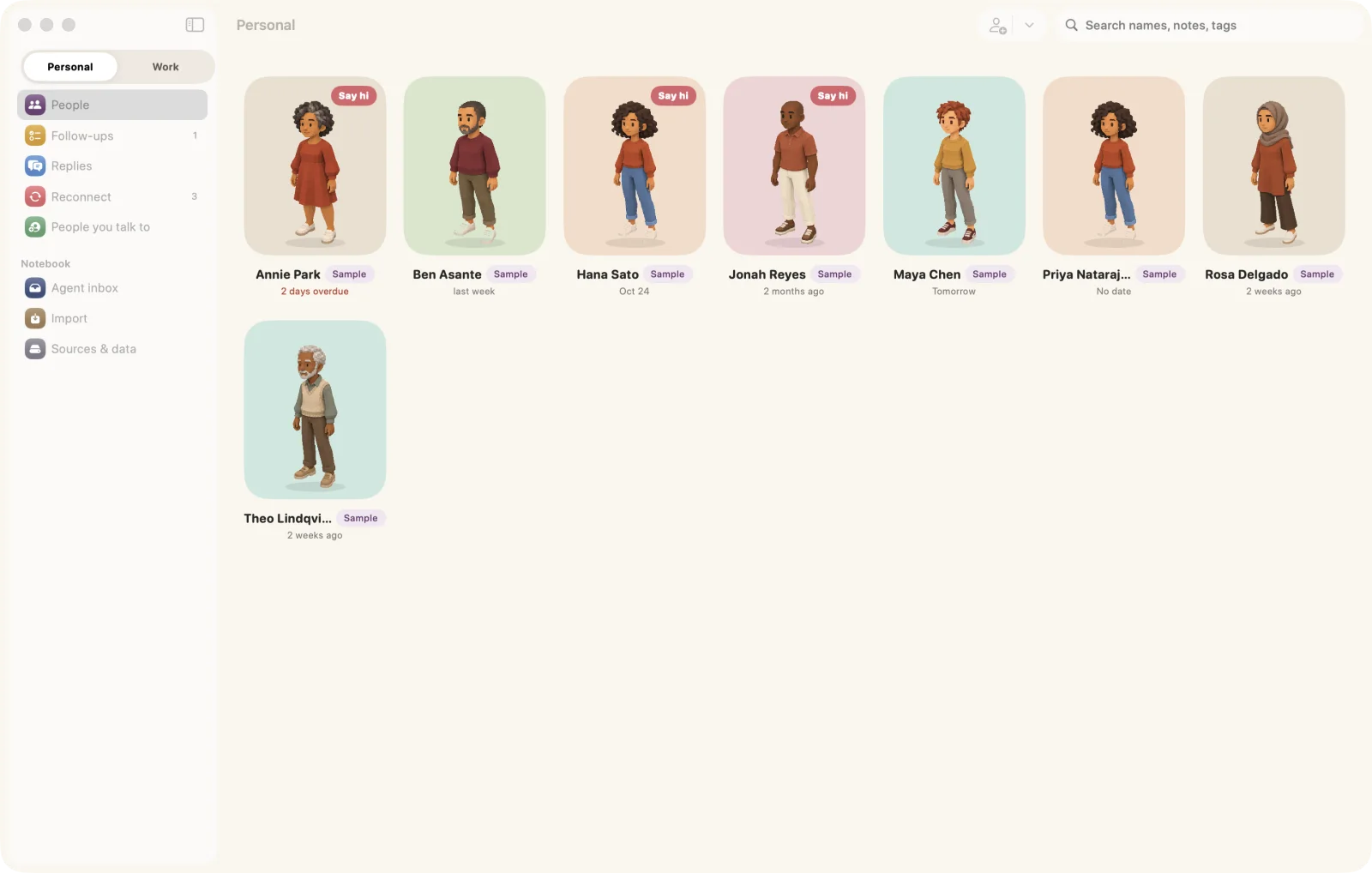
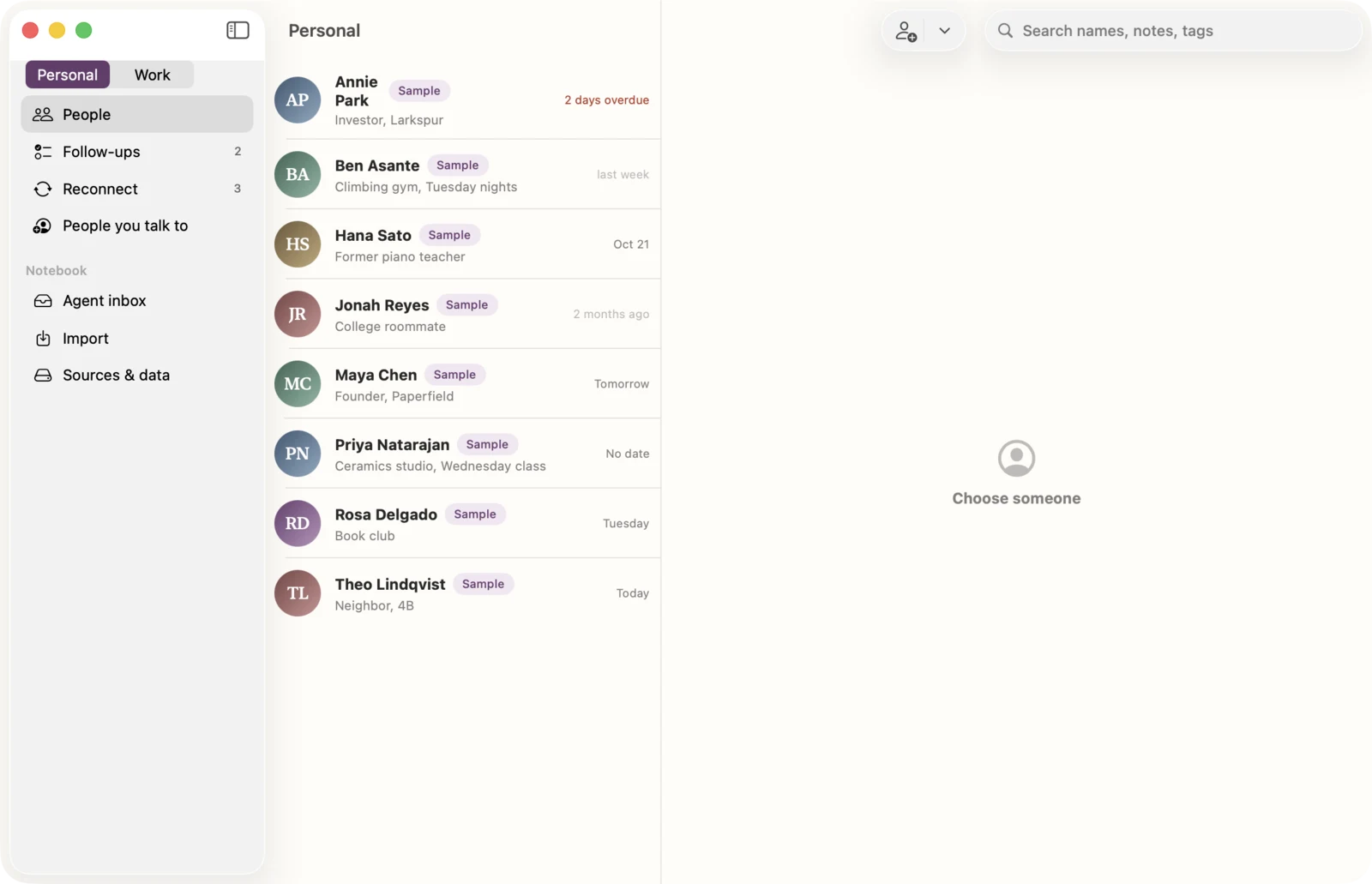
Both screenshots are real builds showing the same demo notebook. The left is the build before the redesign.
Built from what you already have
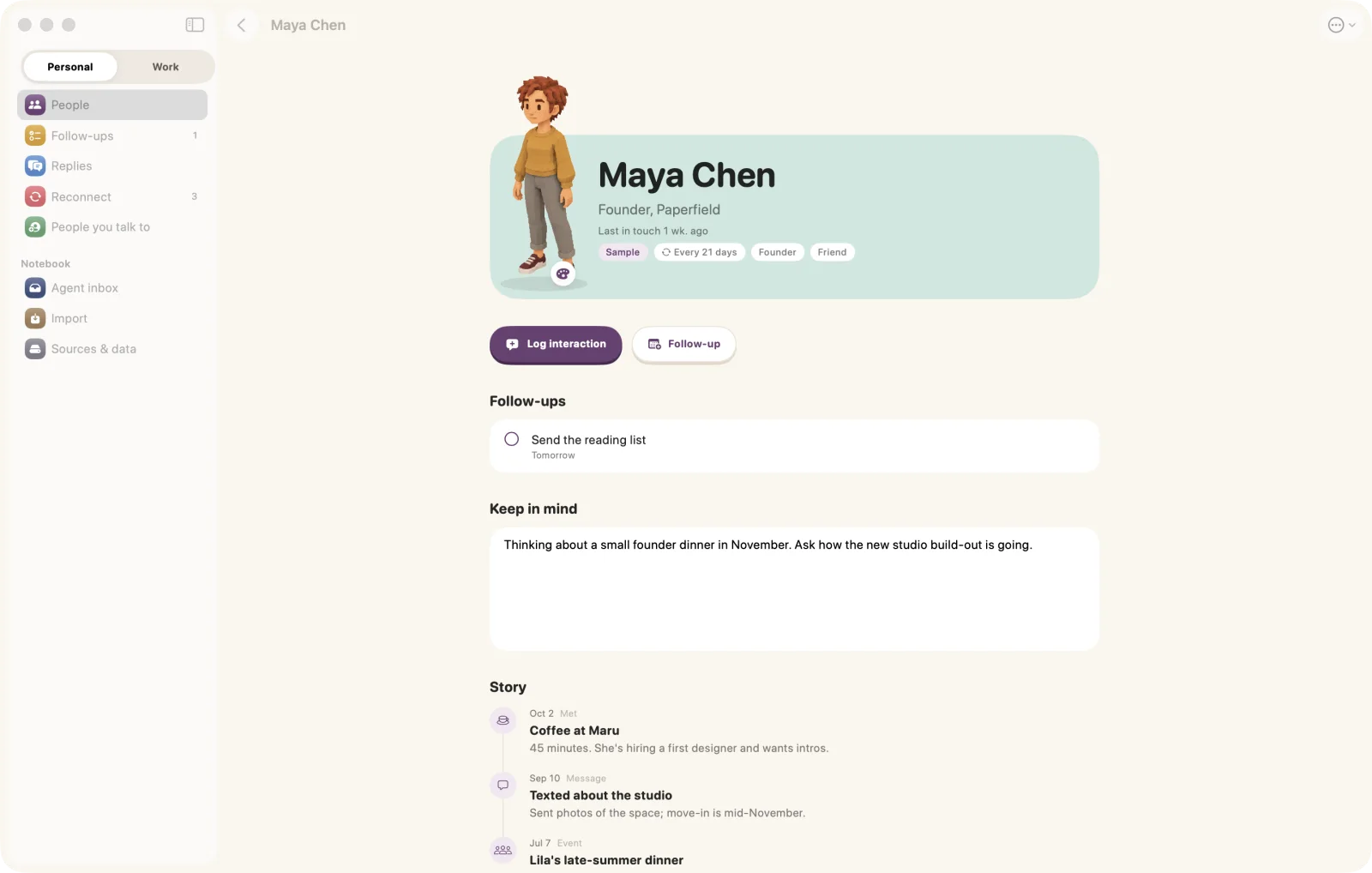
Each person’s story fills itself in
On the Mac, Contacts, Messages, Calendar and Gmail add meetings and messages to each person’s story on their own. Messages can only be read on a Mac. LinkedIn and Instagram come in through their data exports.
Notebook also suggests people you talk to, one at a time, and only uses a name that appears in your messages.
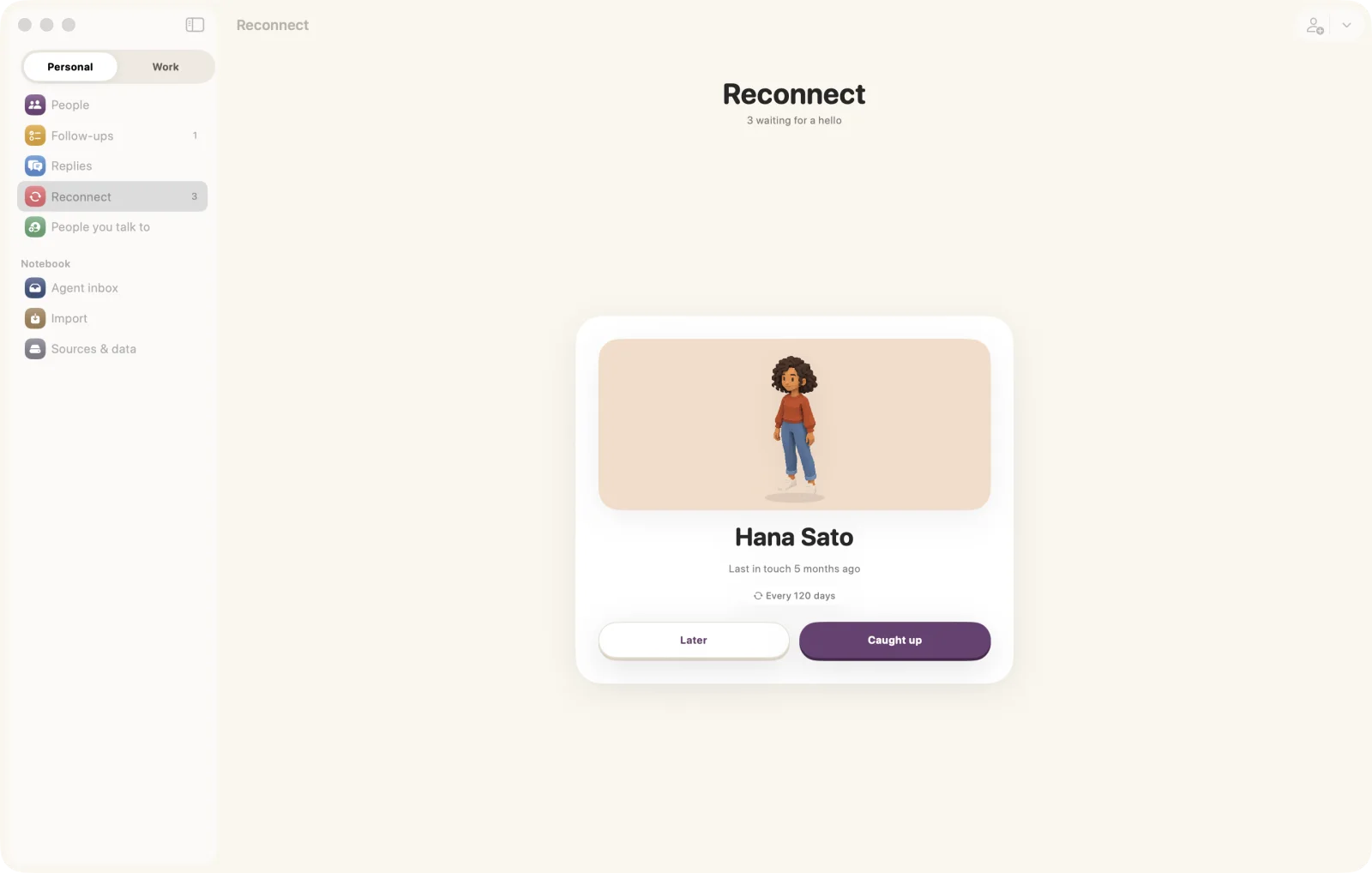
Reconnect before it’s been too long
Follow-ups sort into Overdue, Today, Upcoming and No date. People you’ve drifted from come back as a deck, the same shape as Replies.
Personal and work are two spaces that never mix, and you can name email domains to skip entirely.
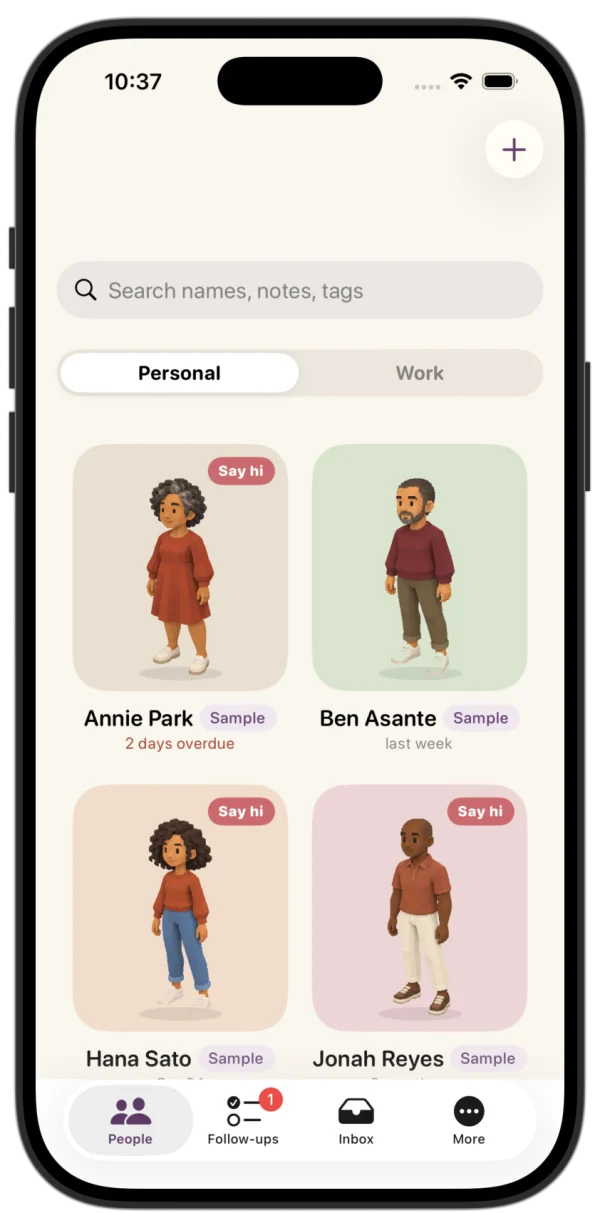
The same people in your pocket
The iPhone app shows the same notebook, characters and all. Pick a figure for anyone from the cast of sixteen. On the Mac you can also make one from a photo or a few words.
Decisions you just used
The interface stays quiet so the people carry the color. It borrows from Benji Taylor’s Family Values: reveal things gradually, keep things moving, and save delight for the moments that earn it. Here is what that meant in practice.
A hash of the name picks one of sixteen figures and one of eight stages, so Maya is the same character in the grid, on her page and on her Replies card. That is also why Hana and Priya share a look in the demo, and why you can pick another.
Small on-device models judge one message far better than they track who owes whom. So the model only says what the last message does, and fixed rules say whose turn that makes it.
Done exits right, Not needed left, Later drops to the back. The app moves with two springs, snappy (0.35 s, bounce 0.25) and bouncy (0.5 s, bounce 0.4), and a card leaves on a 0.45 s spring.
Confetti fires only when you answer the last reply you owe. The code calls it “the page’s one moment”. Everyday taps get a button that sinks onto its ledge, like every button on this page.
Your relationships stay yours
- Your notebook is one file on your own device. Character images sit beside it, and your Gmail sign-in stays in the Keychain.
- From Messages it keeps who wrote and when, never what was said. The Replies preview is read live and held in memory only.
- Gmail connects read-only, through your own Google client.
- The reply check runs on Apple’s on-device model.
Two things can leave your device, and only when you ask
- On the Mac, a custom look made from a photo or a few words is drawn by OpenAI.
- On the Mac, Ask Jev sends the names of possible duplicates, and the part of each email address before the @, to TypeSafe’s Jev model.
- The built-in cast never leaves your device.