The Demo-Adoption Gap
Why enterprise tech fails between the pitch and the workflow
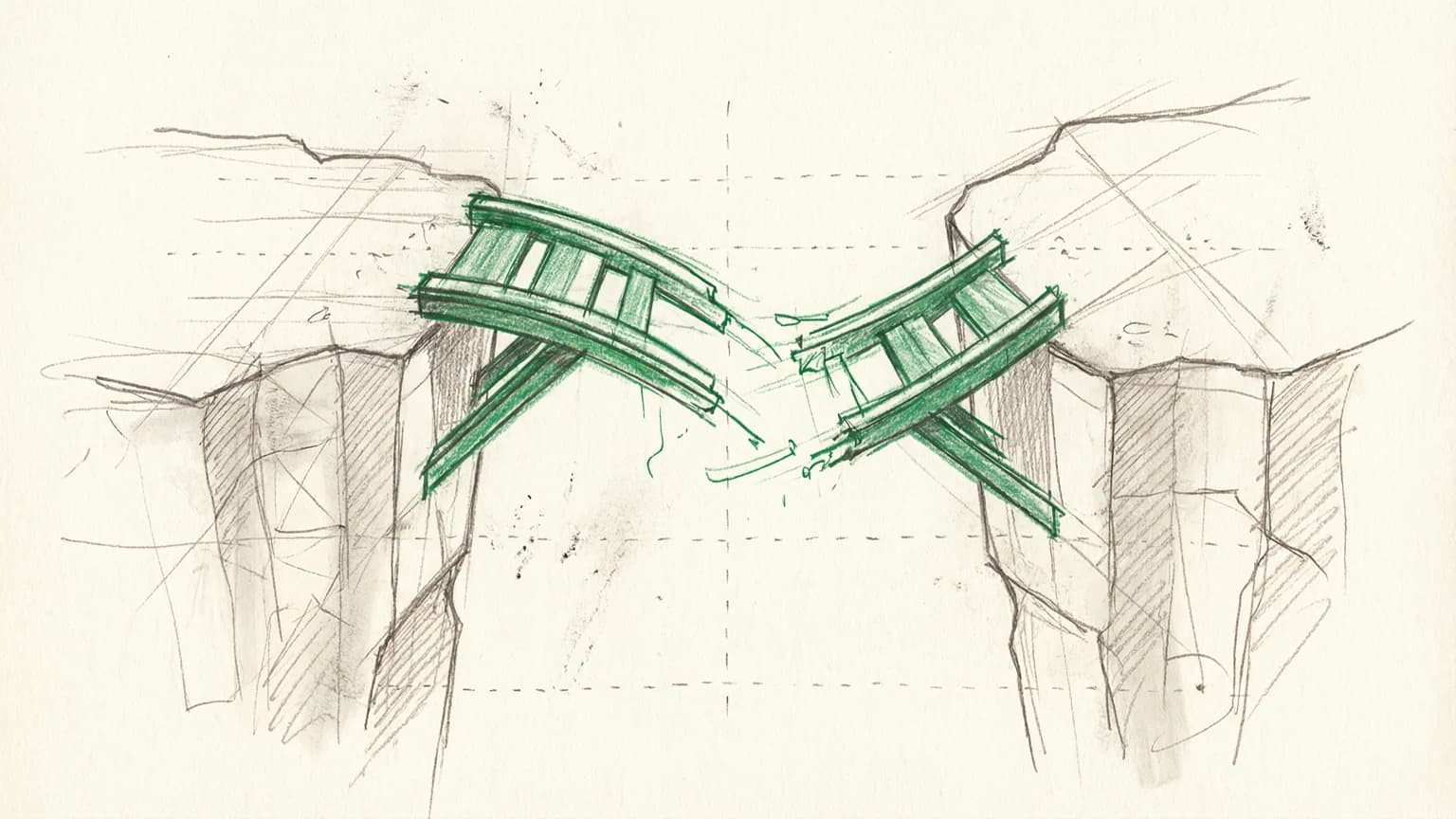
Why enterprise tech fails between the pitch and the workflow
I've watched this scene play out at least a dozen times. Someone brings a new tool to a meeting. The demo is slick. People nod. There's genuine enthusiasm. "This could change everything," someone says. The pilot gets approved.
Six months later, nobody uses it.
The tool sits there, technically deployed, theoretically available. But when you watch what people actually do every day, they're still using the old method. The spreadsheet. The manual process. The thing everyone agreed was worse.
This is the demo-adoption gap. And I believe it's the single most underappreciated cause of enterprise technology failure.
The Pattern I Keep Seeing
I run a working group called Control Alt Elite. It's a small cohort of designers exploring how AI tools might actually fit into their workflows. Not the theoretical promise of AI, but the practical reality of using it on real work.
The recurring pain in those sessions isn't "are the models smart enough?" The models are fine. Sometimes better than fine. The pain is everything around them.
In one session, Dave McMahon walked us through his team's AI-assisted storyboard process. The technique was impressive. Hand-drawn keyframes fed into ChatGPT with character descriptions, producing multiple storyboards in half a day. The stakeholders loved it. Follow-on work got funded.
Beautiful demo. Real business impact.
But then Dave mentioned something that stuck with me. Half the designers in the room watched that demo, understood the value, and still haven't adopted the workflow. Not because they doubted it worked. Because the activation energy to actually set it up, learn the prompting patterns, and integrate it into their existing process was too high.
This is the gap. The demo proves the tool can work. It doesn't prove people will use it.
Why VCs Keep Funding Things That Fail
Venture capital runs on demos. A good demo creates urgency, shows potential, makes the future feel tangible. Investors watch founders present polished walkthroughs of their software and imagine the market impact.
The problem is that demos are optimized for persuasion, not adoption.
A demo shows the happy path. The user who already knows what to ask. The data that's already clean. The workflow that's already configured. A demo never shows the 47 minutes of setup, the three failed attempts, the moment where the user gives up and does it the old way because they have actual work to deliver.
I've been guilty of this myself. When I build prototypes for client presentations, I craft the scenario to show maximum impact. If the tool struggles with edge cases, I avoid those edges. If the integration requires specific conditions, I preconfigure those conditions. The demo works flawlessly because I've removed everything that would make it not work.
This isn't deception. It's appropriate for the goal. You can't show every edge case in a 15-minute pitch. But it creates a dangerous illusion: if you can demo it, you can deploy it. If you can deploy it, people will use it.
Neither assumption holds.
The Studio Lesson
For the past year, I've been working with a major animation studio on their digital asset management platform. Artists at the studio spend their careers building creative work, but they were losing hours every week to manual processes: searching through folder structures, opening massive files just to see if they were the right ones, copying assets between siloed systems.
The leadership team had seen demos of potential solutions. AI-powered search. Unified asset browsers. Workflow automation. Each demo looked compelling. Each promised to solve the problem.
When we started discovery, I asked what tools had been tried before. The list was long. Browser-based viewers. Search overlays. Metadata dashboards. Several had been piloted. None had stuck.
The pattern was always the same. Artists would try the new tool, hit friction, and revert to their old methods. The old methods were worse by every objective measure. But they were known. The friction was predictable. When you're on a deadline and a director needs that asset in five minutes, you don't experiment with new software. You do the thing you know will work, even if "work" means three extra steps and wasted time.
What eventually broke through wasn't better demos. It was workflow integration deep enough that artists didn't have to change their behavior.
Three Patterns That Transfer
Across these experiences, I've identified three principles that seem to predict whether a tool moves from impressive demo to actual daily use.
Pattern 1: Reduce activation energy
The distance between "I want to use this" and "I'm actually using this" is almost always larger than demos suggest.
Consider the AI storyboard workflow Dave showed. The demo made it look straightforward: draw a few frames, feed them to ChatGPT, art direct the output. Total time for the demo: maybe 10 minutes.
What the demo didn't show: setting up a ChatGPT account with the right subscription tier. Learning how to describe visual styles in text. Understanding the session memory model so character consistency persists across frames. Troubleshooting when the model produces unusable output. Developing the judgment to know which images are salvageable with edits versus which need regeneration.
None of these are hard problems. But each is activation energy. Each is a moment where someone might say "I'll figure this out later" and go back to doing things the old way.
The tools that succeed minimize these moments. One command, not five steps. The data appears where you already work, not in a new dashboard you have to remember to check. The keyboard shortcut matches the one your fingers already know.
At the studio, the previsualization artists I worked with used a particular file browser that let them navigate by folder hierarchy. Our new platform had search-based navigation that was objectively faster. But folder navigation was muscle memory. The artists had been doing it for years.
We didn't ask them to change. We supported both models. Folder navigation for the artists who wanted it, search for the ones who preferred it. Over time, as artists saw colleagues finding assets faster with search, adoption grew organically. But the critical choice was not forcing the switch.
Pattern 2: No behavior change required
The best integrations are invisible. They improve what you already do without requiring you to do something different.
I think about the Keyframe Model that Dave described. His insight was that AI works best when you treat it like a junior illustrator. You create the important frames. AI creates everything in between. This model succeeds because it maps to how senior-junior collaboration already works in animation. You're not learning a new process. You're applying a familiar process to a new capability.
Contrast this with tools that require workflow redesign. "First you upload your requirements document to our platform. Then you configure your pipeline stages. Then you set up your notification preferences. Then..." By step four, people have tuned out.
At the studio, one of our most successful features was visual previews for massive Photoshop files. Artists in the digital matte painting department work with files that are 20GB or larger. Opening one takes 2-5 minutes. If it's the wrong file, you close it and try another. A single search could burn 15-30 minutes of open-wait-wrong-close cycles.
The solution wasn't revolutionary. We generated preview thumbnails so artists could see what was in a file before opening it. That's it. No new workflow. No retraining required. They do exactly what they did before, but now they can see the file contents before committing to the wait.
Usage was immediate and near-universal. Not because the feature was complex, but because it required no behavior change. Artists still searched the same way, still opened files the same way. They just got better information at the decision point.
Pattern 3: Respect muscle memory
Figma-native, not Figma-adjacent.
This phrase comes from conversations in Control Alt Elite. Designers live in Figma all day. Their hands know the shortcuts. Their eyes know where to look. When a tool requires context-switching away from Figma, that switch has a cost that compounds with every use.
The tools that get adopted are the ones that meet users where they already are. Not "here's a new surface to learn" but "here's a capability that shows up in the surface you already know."
This is why browser extensions often outperform standalone apps. Not because they're better technology, but because they integrate into existing behavior. You're already in the browser. The tool shows up where you are, not where it wants you to be.
At the studio, we inherited a browser-based asset platform that technically worked but felt foreign to artists who lived in Maya and Houdini. The platform had its own navigation paradigm, its own keyboard shortcuts, its own mental model.
We didn't try to make artists love a new mental model. We focused on reducing the time spent in the browser to the minimum necessary. Get the asset path. Copy it to clipboard. Paste into the application you actually work in. Every second saved in the browser was a second artists could spend in their native environment.
The Keyframe Model for Pitches
Dave said something that crystallized this for me: "If your AI pitch shows boxes and arrows, you've already lost."
Stakeholders don't fund technology. They fund outcomes. The boxes and arrows might accurately represent your architecture, but they communicate nothing about whether the thing will actually help anyone.
His team's approach for pitching AI initiatives to a major restaurant chain: hand-drawn storyboards showing specific people solving specific problems. A team leader updating a menu system from her phone. An operator getting a warranty alert about her ice machine. A customer service agent resolving a ticket without digging through systems.
The AI is there. It's invisible. What's visible is the moment of value.
This is what demos should do: show the value, not the mechanism. But most demos do the opposite. They explain the mechanism and assume the value is obvious. "You can see here how the orchestration layer routes queries to the appropriate model..." Nobody cares about the orchestration layer except engineers.
The storyboard approach works because it focuses attention on the right question. Not "can this technology work?" but "will this change how someone's day actually goes?"
The Adoption Audit
Here's a framework I use now when evaluating whether a tool will actually get used.
Question 1: What does the user have to do differently?
List every behavior change required. Every new screen to learn, every new habit to form, every moment where the user has to remember "oh, I should use the new thing instead of the old thing."
If the list is long, adoption will be slow. Possibly zero.
Question 2: What's the setup cost?
Not just time, but cognitive load. Account creation, configuration, integration, learning curve. Each step is a dropout point.
The most successful tools I've seen have near-zero setup cost. You click once and it works. Configuration comes later, after you've already seen value.
Question 3: Where does the user have to be to get value?
If they have to open a new application, that's friction. If they have to navigate to a specific URL, that's friction. If the value appears inside something they already use, that's good.
Question 4: What happens when it doesn't work?
Every tool fails sometimes. The question is what the failure mode looks like. Does the user hit a brick wall and have no option but to wait for support? Or can they fall back to their old method immediately?
The best tools have graceful degradation. When the AI-powered search doesn't find what you need, you can still browse by folder. When the automated pipeline breaks, you can still run the steps manually. This reduces the risk of trying the new thing, which increases the likelihood that people will try it.
Question 5: Who is the champion?
Adoption rarely happens by committee decision. It happens because one person starts using the tool, others see the benefit, and word spreads. If there's no plausible champion in the user population, the tool will die regardless of its merits.
The Uncomfortable Truth
Here's what I've come to believe: most enterprise technology investments fail at adoption, not capability.
The tool works. The team proved it works. The pilot confirmed it works. But working is not the same as used, and used is not the same as integrated into daily workflows.
This is uncomfortable for technology teams because it means success isn't within their control. You can build the best tool in the world, but if it requires users to change behavior in ways they don't want to change, it won't get adopted.
It's uncomfortable for executives because it means the demo that impressed them doesn't predict organizational impact. The persuasion and the adoption are separate problems, and being good at one doesn't help with the other.
And it's uncomfortable for vendors because it means sales success and customer success are decoupled. You can sell the product. Whether it gets used is a different question entirely.
What I'm Doing About It
In my current work, I've started treating adoption as a first-class design constraint, not an afterthought.
When I prototype a feature, I ask: what's the minimum behavior change required? If the answer is "significant," I look for a different approach. Maybe the same outcome can be achieved with less disruption. Maybe the feature can be surfaced inside an existing workflow instead of creating a new one.
When I spec a rollout, I identify the champions first. Not the executives who will approve the budget, but the practitioners who will use the tool daily. What would make them want to show this to their teammates? What would make them feel smarter, faster, more capable?
When I measure success, I look at sustained usage, not initial signup. The number of people who tried the tool once is a vanity metric. The number of people still using it 90 days later is what matters.
And when I watch demos, I've trained myself to ask the question that rarely gets asked: "What does this look like on day 47?" Not day one, when everything is shiny. Day 47, when the novelty has worn off and the user has real work to do.
That's where adoption lives. In the mundane. In the forgettable. In the moments when nobody is watching and the user just needs to get something done.
The Gap Will Kill Your Investment
VCs will keep funding great demos. Enterprises will keep piloting promising tools. And most of those tools will end up unused, victims of the gap between capability and adoption.
This isn't inevitable. But closing the gap requires a different kind of thinking. Less "what can this do?" and more "what will people actually use?" Less "how do we prove value?" and more "how do we make value feel effortless?"
The tools that win aren't necessarily the most capable. They're the ones that slip into existing workflows so smoothly that users barely notice the change. The ones where the behavior change is small enough that it actually happens. The ones that respect muscle memory instead of demanding new habits.
It's not sexy. It doesn't make for dramatic demos. But it's the difference between technology that impresses and technology that ships.
And ultimately, technology that ships is the only kind that matters.
For the AI pitch approach Dave McMahon demonstrated, read The Keyframe Model.